
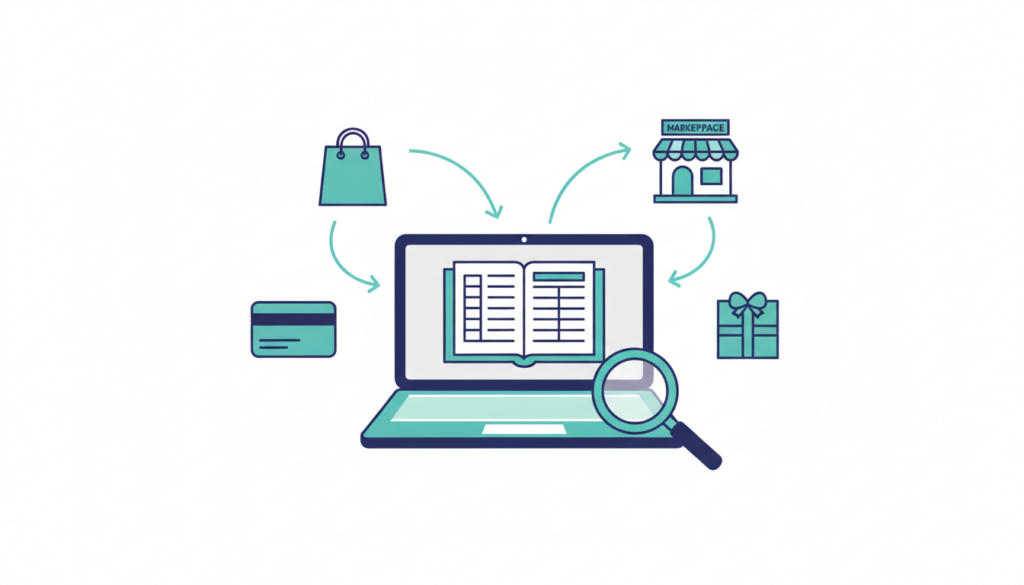
Selling on 3 or 4 channels at once is great for revenue and terrible for bookkeeping. Shopify pays out one way, Amazon another, Stripe and PayPal each have their own fees, and none of them line up neatly with your bank. Synder is one of the tools built to pull all of that into QuickBooks or Xero automatically.
What makes Synder different from most payout connectors is choice. You can sync every sale, refund and fee as its own transaction, or roll them up into summaries. In this Synder review I cover how both modes work, what Synder costs in 2026, which platforms it supports, and who should pick it over a summary-only tool like A2X.
I’m Trevor Fenner. I’ve been selling online since 2005, I’ve run my own ecommerce business since October 2010, and I founded Ecommerce Paradise to help people build stores that actually make money. These days I do store builds, ads and SEO for ecommerce clients, and multi-channel bookkeeping is a problem I see constantly once a store starts to grow.
This review is research-led. Everything below comes from Synder’s own pricing page and help center, checked November 2026. I have not run a hands-on test account for this article. It is general education, not tax, legal or accounting advice, so work with a qualified accountant on your setup. See our editorial standards for how we research tools.
Some links on this page are affiliate links. If you sign up through them I may earn a commission at no extra cost to you. Read the affiliate disclosure.
Get Every Sales Channel Into Your Books Automatically
Synder connects 30+ sales and payment platforms to QuickBooks Online or Xero, with per-transaction or summary sync. Start a 15-day free trial with no credit card required.
Synder at a glance
Here is the quick summary, based on Synder’s US pricing page and help center in November 2026.
| Item | Details |
|---|---|
| Product | Synder Sync (automated multi-channel bookkeeping) |
| Sync modes | Per Transaction Sync or Summary Sync, chosen per organization |
| Sales and payment platforms | 30+, including Shopify, Amazon, eBay, Etsy, Stripe, PayPal and Square |
| Premium integrations | Magento, Walmart, Faire, TikTok, Ecwid, ShipStation, Squarespace, BigCommerce, Clover (higher tiers) |
| Accounting platforms | QuickBooks Online and Xero on every plan, NetSuite, Sage Intacct and Intuit Enterprise Suite from Pro |
| Starting price | Basic $65/month billed monthly, or $52/month billed yearly |
| Free trial | 15 days, no credit card required |
| My rating | 8 out of 10 (research-led) |
What is Synder?
Synder is a sync tool that connects your sales channels and payment processors to your accounting software. It pulls in sales, refunds, fees, taxes and payouts, then posts them to QuickBooks Online, Xero or another supported ledger based on the mapping you set.
The pitch is multi-channel. If you sell on Shopify, take some payments through Stripe, run an Amazon account and invoice a few wholesale customers through PayPal, Synder is designed to bring all of it into one set of books.
Per-transaction sync vs summary sync
This is the most important thing to understand about Synder, so let me spell it out.
Per Transaction Sync
Synder’s help center describes Per Transaction Sync as posting each sale, refund and fee as a separate record in your accounting platform. Every Shopify order or Stripe charge shows up in QuickBooks or Xero on its own.
That is useful when you want customer-level and product-level detail inside your ledger. Think service businesses billing through Stripe, B2B sellers who need invoices matched to payments, or brands that want sales by product in QuickBooks reports.
Summary Sync
Summary Sync groups transactions for a selected period, for example by day or by payout, and posts them as one aggregated record per period. That is closer to how A2X works, and it keeps your ledger lean when you have thousands of orders.
Synder’s help center also explains that you can map summary amounts by SKU, region or class, and build custom groups with rules that control where specific amounts land.
You cannot switch modes inside one organization
Here is the catch most people miss. According to Synder’s help article on changing sync modes, you cannot change the sync mode inside an existing organization. You create a new organization, pick the other mode during onboarding and start syncing from a cutoff date so you do not duplicate entries. Previously synced data is not converted.
So pick carefully on day one. My rule of thumb: if you process thousands of orders a month and just need clean payouts, go summary. If you need invoice-level or customer-level detail and your volume is moderate, go per-transaction.
A hypothetical example of the difference
Here is a hypothetical example. Say a store processes 1,200 Shopify orders in a month, paid out across 20 payouts.
- Per Transaction Sync would post roughly 1,200 sales plus every refund and fee as separate records.
- Summary Sync grouped by payout would post about 20 summary records, one per payout.
Both can reconcile to the bank. The difference is how much detail lives in your ledger and how much your accountant has to scroll through.
Core features of Synder
These are the features Synder lists on its 2026 pricing page and help center.
Multi-channel data sync
Synder says it connects with 30+ sales and payment platforms, including Shopify, Amazon, eBay, Etsy, Stripe, PayPal and Square. Higher tiers add premium integrations such as Magento, Clover, TikTok, Walmart, Faire, BigCommerce, Squarespace, Ecwid, ShipStation and the Synder API.
Tax tracking
Synder lists automated tax tracking from connected integrations to your accounting platform. That means the sales tax you collect can be separated from revenue. Whether you owe tax in a given state is a different question, and the Sales Tax Institute remote seller nexus chart is a solid starting point before you talk to your accountant.
COGS and product tracking
Synder lists COGS tracking, described as syncing product prices, costs and quantities to your books when they are specified in the connected integration, plus product-level name tracking. If you want gross margin by product inside QuickBooks, this is one of Synder’s strongest features. Our ecommerce cost of goods sold guide explains why COGS accuracy matters so much.
Multi-currency and balance reconciliation
Multi-currency processing is listed as a core feature, which helps if you sell internationally. Synder also lists balance reconciliation, meaning it checks your platform data inside Synder before posting to your books.
Historical data import
You can pull in past transactions to catch up your books. Synder’s help center says you can import up to 2 months of data during the trial. After that, the pricing page lists paid unlimited history on Basic and Essential, 3 months free on Pro and Pro Max, and free unlimited history on Premium.
Import frequency and users
Basic imports data daily. Essential and higher import hourly. Basic and Essential include 1 user, Pro and Pro Max include 2, and Premium includes unlimited users, with extra users available for a fee.
Choose the Level of Detail Your Books Actually Need
Synder lets you post every transaction or clean summaries, with COGS, tax and multi-currency tracking built in. Test it on your own data free for 15 days.
Synder pricing in 2026
Synder shows 2 billing options on its pricing page: pay monthly or pay yearly and save 20%. Pricing checked November 2026.
| Plan | Billed monthly | Billed yearly | Integration slots | Accounting platforms |
|---|---|---|---|---|
| Basic | $65/mo | $52/mo | 2 | QuickBooks Online, Xero, Puzzle |
| Essential | from $129/mo | from $103/mo | Unlimited | QuickBooks Online, Xero, Puzzle |
| Pro | from $299/mo | from $240/mo | Unlimited, plus 2 premium slots | Adds NetSuite, Intuit Enterprise Suite, Sage Intacct |
| Pro Max | from $599/mo | from $480/mo | Unlimited, unlimited premium | Adds custom ERP |
| Premium | Talk to sales | Talk to sales | Unlimited | Adds custom development |
Synder says the final price on Essential and above is tailored to your monthly transaction volume within plan limits. The comparison table lists Basic at 500 transactions a month and base allowances of 1,000 synced transactions on Essential, 10,000 on Pro and 20,000 on Pro Max, with additional volume billed separately. Any transaction except processing fees counts against your balance.
What that means in practice
For a hypothetical single-channel Shopify store doing 300 orders a month, Basic at $52 to $65 a month covers it with room to spare. Add a second channel and you use both Basic integration slots. Add Walmart or TikTok and you are looking at Pro, which is a big jump to $240 to $299 a month.
Remember that Synder is an add-on. You still pay for your accounting software. If you are choosing one, QuickBooks Online works with every Synder plan, and Synder’s popular integrations menu pairs each channel with QuickBooks.
Support levels by plan
This is worth reading before you buy. On Basic and Essential, Synder’s pricing page says support requests are handled in the standard queue and that, depending on complexity, investigations may take over 2 weeks to begin. Pro and Pro Max get a priority lane with live chat and Zoom, and Premium goes straight to a technical engineer.
That is honest of Synder to publish, and it matters. If your books are stuck and you are on Basic, you may be waiting.
Synder pros and cons
Pros
- Choice of per-transaction or summary sync, which few connectors offer.
- 30+ sales and payment integrations, including Stripe, Square and PayPal.
- Works with QuickBooks Online and Xero on every plan.
- COGS, product, tax and multi-currency tracking listed as core features.
- 15-day free trial with no credit card.
- Scales to NetSuite and Sage Intacct on higher plans.
Cons
- You cannot switch sync modes inside an existing organization.
- Premium integrations like Walmart and TikTok require Pro or above.
- Basic support may take over 2 weeks to begin an investigation, per Synder’s own pricing page.
- Pricing above Basic depends on transaction volume, so costs can climb fast.
- Per-transaction mode can fill your ledger with thousands of records.
Synder vs A2X
People ask me this all the time, so here is the short version based on each company’s documentation.
A2X is the summary specialist. It posts one entry per payout and its plans are priced by order volume per channel, with Mini plans from $29 a month. Synder gives you the choice of per-transaction or summary, covers payment processors like Stripe and Square more broadly, and starts at $52 to $65 a month.
If you sell mainly on Shopify and Amazon and just want payouts that reconcile, A2X is usually the simpler and cheaper fit. If you take payments through Stripe or Square, sell B2B, or need transaction-level detail, Synder is the stronger choice. Read the full A2X review for its pricing by order volume.
Who should use Synder?
- Multi-channel sellers who mix ecommerce platforms with Stripe, Square or PayPal payments.
- Businesses that want order-level or invoice-level detail in QuickBooks or Xero.
- Brands that want product-level revenue and COGS inside the ledger.
- Growing companies heading toward NetSuite or Sage Intacct.
- Bookkeepers who want one tool across many clients with different setups.
If 2 or more of those describe you, run your real data through Synder’s free trial and decide which sync mode fits before you commit.
If Shopify is your main channel, our Shopify QuickBooks integration guide compares connector options side by side.
Who should skip Synder?
- Small, single-channel stores that only need clean payouts. A summary-only tool is usually enough.
- Owners who want someone else to do the books. If that is you, Finaloop is the ecommerce bookkeeping option I point store owners to most because it bundles the bookkeeping, not just the sync.
- Budget-first Amazon or eBay sellers. Link My Books is another option to compare, and we cover it in our Link My Books review.
How to set up Synder without making a mess
Based on Synder’s help center, this is the order I would follow:
- Decide on Per Transaction Sync or Summary Sync before anything else, because you cannot switch inside an organization.
- Clean up your chart of accounts so sales, shipping, refunds, fees and sales tax payable each have a home. Our ecommerce chart of accounts guide has a starting template.
- Connect your accounting platform, then your sales and payment platforms.
- Pick a clean start date and import a small window of data first.
- Review the default mapping with your accountant and fix anything that looks off.
- Reconcile the first few payouts against your bank before importing more history.
One more thing on matching. The IRS explains on its Form 1099-K page that payment apps and online marketplaces must send a 1099-K when payments for goods or services total over $20,000 in more than 200 transactions, and may send one for lower amounts. Card processors send one regardless of volume. Those forms report gross payments, so books that show gross sales, fees and refunds separately make year-end matching much easier.
For Shopify payouts specifically, the Shopify Help Center page on lower or missing payouts explains common reasons a payout looks smaller than expected. Read that before you assume the sync is wrong. Then make payout reconciliation a fixed line on your monthly bookkeeping checklist.
How Synder fits with an order-level P&L
For every store I have run, I keep an Order Processing P&L sheet that tracks each order’s sale price, supplier cost, shipping, merchant fees, ad cost and profit. Clients get the same sheet.
Synder’s per-transaction mode gets you closer to that order-level view inside the ledger than any summary tool can. It still will not tell you ad cost per order, though. Keep the sheet for unit economics and let Synder keep the books accurate.
Synder verdict and rating
Synder earns an 8 out of 10 from me. This is a research-led rating based on Synder’s own pricing page and help documentation, not a hands-on test.
The flexibility is the big win. Per-transaction or summary sync, 30+ integrations, COGS and product tracking, and a path up to NetSuite give it more range than a pure payout connector. For multi-channel sellers mixing marketplaces and payment processors, that range is exactly what you need.
I took points off for the locked sync mode, the jump in price for premium integrations like Walmart and TikTok, and the slow standard support lane on Basic and Essential. If you want lean summaries for Shopify and Amazon at the lowest cost, look at A2X first. If you want the whole bookkeeping job done, look at Finaloop. If you want control and detail across many channels, Synder is a strong pick.
Ready to Bring Every Channel Into One Set of Books?
Connect Shopify, Amazon, Stripe, PayPal and more to QuickBooks Online or Xero. 15-day free trial, no credit card required.
Synder FAQ
How much does Synder cost in 2026?
Synder Basic is $65 a month billed monthly or $52 a month billed yearly. Essential starts at $129 monthly or $103 yearly, Pro starts at $299 or $240, and Pro Max starts at $599 or $480. Premium is custom. Prices above Basic depend on your transaction volume, so check Synder’s pricing page.
What is the difference between per-transaction and summary sync in Synder?
Per Transaction Sync posts each sale, refund and fee as a separate record in your accounting software. Summary Sync groups transactions for a period, such as a day or a payout, into one aggregated record. You choose the mode when you set up an organization and cannot switch it inside that organization later.
Does Synder work with QuickBooks and Xero?
Yes. QuickBooks Online and Xero are available on every plan. Synder’s FAQ also lists QuickBooks Desktop, Sage Intacct and NetSuite, with NetSuite and Sage Intacct appearing from the Pro plan on the pricing table.
Which sales platforms does Synder support?
Synder says it connects with 30+ platforms, including Shopify, Amazon, eBay, Etsy, Stripe, PayPal and Square. Premium integrations such as Walmart, TikTok, Magento, Clover and BigCommerce require higher-tier plans.
Does Synder have a free trial?
Yes. Synder offers a 15-day free trial with no credit card required. Its help center says you can import up to 2 months of data during the trial, which is enough to reconcile a few real payouts before you pay.
Is Synder better than A2X?
It depends on what you need. A2X focuses on summary entries per payout and is priced by order volume per channel. Synder offers both per-transaction and summary sync and covers more payment processors. Multi-channel sellers with Stripe, Square or B2B invoicing often lean Synder, while Shopify and Amazon sellers who only need clean payouts often lean A2X.
Final thoughts on Synder
Synder is the connector I would look at when a business has outgrown simple payout summaries or mixes marketplaces with payment processors. Make the sync mode decision first, start on the smallest plan that covers your channels and reconcile a few payouts before you import a year of history.
If you are still comparing options, our ecommerce bookkeeping software hub lays out the full field. Xero is worth a look as the ledger underneath if you want no per-user license fees.
Related guides
- Ecommerce bookkeeping software hub
- A2X review
- Shopify QuickBooks integration
- Amazon bookkeeping software
- Shopify bookkeeping

Trevor Fenner is an ecommerce entrepreneur and the founder of Ecommerce Paradise. He publishes research on bookkeeping software and practical workflows for online business owners. His articles provide general education rather than individualized accounting or tax advice.