
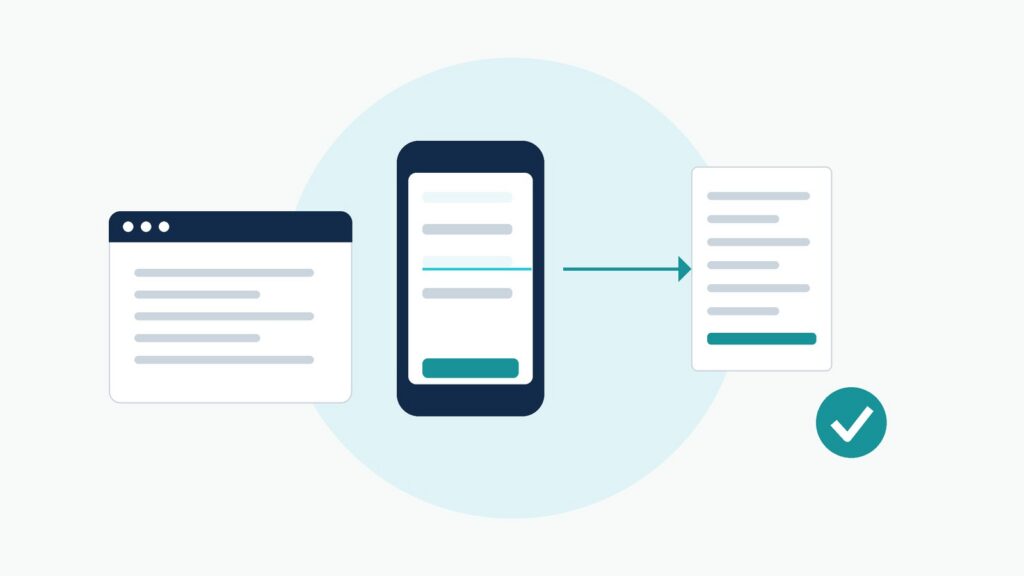
Every small business has the same pile. Gas receipts in the truck, supplier invoices in three inboxes, a coffee receipt from a client meeting folded inside a wallet. By tax time half of it is faded and the other half is missing.
A good receipt scanner app fixes that. You snap a photo or forward an email, the app reads the vendor, date and amount, and the record lands in your books with the image attached. In this guide I compare the best receipt scanner apps for small business in 2026, with prices checked in November 2026 and a clear pick for each type of business.
I’m Trevor Fenner. I’ve sold online since 2005, I’ve run my own ecommerce business since October 2010, and I started Ecommerce Paradise in 2015. Today I build stores and run ads and SEO for clients. Receipts are the first thing that falls apart when a business gets busy, so this is a system worth setting up early.
This guide is research-led. Pricing and features come from each vendor’s official pricing and help pages as of November 2026. I did not scan receipts in every app for this article, and I flag anything I couldn’t confirm.
This is general education, not tax, legal or accounting advice. Talk to a qualified accountant about your own records. Our editorial standards explain how we research and update guides.
Some links on this page are affiliate links. If you sign up through them I may earn a commission at no extra cost to you. Read the affiliate disclosure.
Stop Typing Receipts Into Your Books
Dext reads receipts, bills and invoices from your phone, email or WhatsApp and publishes coded entries to QuickBooks or Xero. US plans start at $25.21 a month billed annually, with a 14-day free trial and no card needed to start.
Best receipt scanner apps at a glance
Prices below were checked in November 2026 on each vendor’s own pricing page. Promos change often, so confirm current pricing before you buy.
| App | Best for | Starting price | Works with |
|---|---|---|---|
| Dext | Businesses with lots of receipts and supplier bills | $25.21 a month billed annually (250 documents, 5 users) | QuickBooks, Xero and other ledgers |
| QuickBooks Online receipt capture | Businesses already on QuickBooks | Included with QuickBooks Online, plans from $38 a month list | QuickBooks only |
| Xero with Hubdoc | Businesses already on Xero | Included in Xero Early ($27), Growing ($59) and Established ($97) | Xero |
| Zoho Books receipt autoscans | Budget-minded small businesses | Free plan includes 50 autoscans a month | Zoho Books |
| FreshBooks receipt scanning | Freelancers and service businesses | Plus at $43 a month | FreshBooks |
| Expensify, Shoeboxed, Wave, Ramp | Specific use cases | Check each vendor’s site | Varies |
What a receipt scanner app actually does
A receipt scanner app is a capture tool. It turns a paper receipt or a PDF bill into a digital record with the key fields filled in. That usually means the supplier name, date, total, tax and payment method.
The better apps go further. They suggest an expense category, remember how you coded that supplier last time, flag duplicates and match the receipt to the bank transaction it belongs to. The image stays attached to the record, so you can pull it up in 30 seconds if anyone asks.
Think of it as one layer in your stack. In my ecommerce bookkeeping software guide I split the stack into the ledger, the sales connector and receipt capture. The scanner feeds the ledger. It doesn’t replace it.
Built-in capture vs a dedicated app
There are two ways to go. You can use the receipt capture built into your accounting software, or you can add a dedicated app like Dext that sits in front of the ledger.
Built-in capture costs nothing extra and works fine at low volume. A dedicated app costs more but handles high volume, multiple users, line items and supplier statements much better. The rough rule I’d use: under 50 receipts a month, start with what your ledger includes. Over 150 a month, or with a bookkeeper in the mix, a dedicated tool usually pays for itself.
1. Dext: best receipt scanner app overall
Dext, formerly Receipt Bank, is my lead pick for most small businesses that deal with real document volume. It captures receipts, bills and invoices, extracts the data and publishes coded entries to your accounting software with the image attached.
Dext pricing in 2026
Dext’s US business pricing page lists an entry plan at $25.21 a month billed annually, which is $302.50 a year. That covers 250 documents a month and 5 users. The page says annual billing is up to 20% cheaper than monthly, and a slider raises the document allowance and the price.
The entry plan includes free credits for 10 sheets of bank statement extraction, 5 documents with line item extraction and 5 supplier statement extractions. You can check the current numbers on the Dext business pricing page.
| Dext add-on | Listed price (November 2026) |
|---|---|
| AI Assist | $10.50 a month, listed until January 31, 2027 |
| Commerce Lite (online sales reports) | From $7.50 a month |
| Vault document storage | Free up to 100MB, extra from $4 a month |
| Line item extraction | From $20.50 a month, or $0.50 per document |
| Supplier statement extraction | From $20.50 a month, or $0.50 per document |
| Bank statement extraction | From $13 a month, or $0.32 per document |
Two contract details matter. Monthly plans can be cancelled any time before the renewal date. Annual plans need 30 days notice before renewal, so put that date in your calendar.
Also know what happens at the limit. Dext says that once you hit your monthly document allowance, you can still upload, but data won’t be extracted until your next billing date or until you upgrade.
How Dext captures receipts
You can send documents to Dext 4 ways: the mobile app, email forwarding, WhatsApp and desktop upload. The app can snap one receipt, a batch of receipts or combine a multi-page invoice into one record.
Dext then reads the supplier, date, amount and tax. You review the item, set or confirm the category, and publish it to your ledger. Supplier rules let you tell Dext how to code a vendor once, so every future receipt from that vendor follows the same rule.
Who should pick Dext
Dext fits a business with lots of suppliers and lots of paper. Think a contractor buying materials 5 days a week, an online store with 30 supplier invoices a month or a bookkeeper managing several clients. If that’s you, Dext is the receipt scanner app I’d start a trial with first because it handles volume and multiple users without extra setup.
The downside is cost for very small businesses. If you get 15 receipts a month, $25.21 a month is hard to justify when your ledger already includes basic capture. My full Dext review covers the features, limits and alternatives in more detail.
2. QuickBooks Online receipt capture: best if you’re on QuickBooks
If you already pay for QuickBooks Online, you already have a receipt scanner. The QuickBooks mobile app lets you photograph receipts, and you can also upload files from your computer or forward receipts and bills by email.
Intuit’s help guide on how to upload your receipts to QuickBooks walks through the setup. Once a receipt is in, QuickBooks reads the details and tries to match it to a bank transaction. You review the match and confirm it, and the image stays attached.
QuickBooks pricing
Receipt capture is part of the subscription, not an add-on. QuickBooks Online lists Simple Start at $38 a month, Essentials at $85, Plus at $140 and Advanced at $340 at list price in November 2026. Intuit often runs a discount for the first few months, so check current pricing. My QuickBooks pricing guide breaks down what each tier includes.
Who should pick QuickBooks receipt capture
For a small team already on QuickBooks with under 50 receipts a month, built-in capture is usually enough. QuickBooks Online is a solid pick if you want receipts, bank feeds and reports in one app with no second subscription.
Where it falls short is volume and detail. Line items, supplier statements and multi-client workflows are where Dext pulls ahead. If you search for a QuickBooks receipt scanner and you have hundreds of documents a month, pair QuickBooks with Dext rather than relying on the built-in tool alone.
3. Xero with Hubdoc: best if you’re on Xero
Xero has its own receipt capture and also includes Hubdoc. Xero’s pricing page lists Smart Document Capture as included on Early ($27 a month), Growing ($59) and Established ($97). Xero’s partner guide states that Hubdoc is included in the Early, Growing and Established plans.
Xero’s smart document capture page says you can photograph a receipt in the Xero Accounting app or forward a bill to your Xero email address. Xero extracts the data, shows the original next to the entry screen and attaches the file to the record. It also flags likely bank matches and possible duplicates.
Where Hubdoc fits
Hubdoc is a separate document collection app that publishes to Xero. It can pull documents in by email, mobile photo, desktop upload and ScanSnap Cloud, according to Xero’s Hubdoc partner guide. Bookkeepers who manage several Xero clients tend to like it, since it organizes documents per client.
Watch the plan limits on the cheapest tier. Xero Early limits you to 5 bills a month and 20 invoices. If you scan lots of supplier bills, you’ll need Growing or above.
Who should pick Xero
If your accountant already works in Xero, this is the easy route. Xero is worth it if you want document capture included in every plan with unlimited users. My Xero review covers the plans and limits.
Haven’t picked a ledger yet? My QuickBooks vs Xero comparison lays out the trade-offs.
4. Zoho Books receipt autoscans: best budget option
Zoho Books includes receipt and document autoscans on every plan, including the free one. The FAQ on Zoho’s pricing page lists the monthly limits by plan.
| Zoho Books plan | Price (monthly / billed yearly) | Receipt autoscans a month |
|---|---|---|
| Free | $0 | 50 |
| Standard | $20 / $15 | 200 |
| Professional | $50 / $40 | 200 |
| Premium | $70 / $60 | 1,000 |
| Elite and Ultimate | $150 / $120 and $275 / $240 | 1,000 |
Need more? Zoho sells extra document autoscans at $10 per 50 scans a month, or $8 billed yearly. Zoho says add-ons aren’t supported on the Free plan, except document autoscans. Check the Zoho Books pricing page before you sign up, since the free plan has revenue limits.
Who should pick Zoho Books
A side business, a new freelancer or a small service business that wants real books for little money. Zoho Books is the cheapest way to get receipt scanning built into a full ledger, and 200 scans on Standard is plenty for most small teams. My Zoho Books review goes deeper on the plans.
5. FreshBooks receipt capture: best for freelancers
FreshBooks is built around invoicing and time tracking, but it handles expenses too. On the November 2026 pricing page, expense receipt scanning starts on the Plus plan at $43 a month. Premium at $70 a month adds bill receipt scanning with line items. Lite at $23 a month doesn’t list receipt scanning.
FreshBooks showed an 80% off promo for 4 months when I checked, and a 30-day free trial. Extra team members are $11 per user per month. See the FreshBooks pricing page for current offers.
Who should pick FreshBooks
A freelancer or agency that bills clients and wants expenses next to invoices and projects. FreshBooks makes sense if you bill clients for expenses and want receipts tied to the project they belong to. It’s less suited to an online store with heavy inventory. My FreshBooks review has the full breakdown.
Get Every Receipt Into Your Books Automatically
Snap it, forward it or WhatsApp it. Dext extracts the details, applies your supplier rules and publishes to QuickBooks or Xero with the image attached. Try it free for 14 days.
Other receipt scanner apps worth knowing
These are plain text because I don’t have affiliate links for them. Check each provider’s own site for current pricing.
- Expensify: an expense report tool with receipt scanning, common for teams where employees submit expenses for approval and reimbursement.
- Shoeboxed: a receipt scanning service that also offers mail-in scanning for paper receipts, which suits people with a backlog of paper.
- Wave: Wave Pro at $19 a month includes unlimited receipt capture. On the free Starter plan, receipt capture is a paid add-on listed at $11 a month or $96 a year.
- Ramp: a corporate card and spend platform that collects receipts against card transactions. If you already use a spend card platform, check whether it covers receipts before you add another app.
My Wave vs FreshBooks comparison covers Wave’s plans in more detail.
What the IRS says about keeping receipts
A receipt scanner is only useful if the records hold up. The IRS doesn’t name approved apps, but it does say what your records need to do.
How long to keep records
The IRS page on how long you should keep records ties retention to the period of limitations for your return. Here are the main rules it lists.
- Keep records for 3 years in the usual case.
- Keep records for 7 years if you file a claim for a loss from worthless securities or a bad debt deduction.
- Keep records for 6 years if you don’t report income you should have, and it’s more than 25% of the gross income shown on your return.
- Keep records indefinitely if you don’t file a return or if you file a fraudulent return.
- Keep employment tax records for at least 4 years after the tax becomes due or is paid, whichever is later.
- Keep records relating to property until the period of limitations expires for the year you dispose of the property.
The same page says to check whether you need records longer for other reasons, since insurers or lenders may ask for them. Make sure your app’s storage covers at least that long, and that you can export everything if you ever cancel.
Electronic records and Revenue Procedure 97-22
The IRS accepts electronic records, with conditions. IRS Publication 583 says all requirements that apply to paper books and records also apply to electronic storage systems. The system must index, store, preserve, retrieve and reproduce records in a legible format.
Publication 583 also says the IRS may test your electronic storage system, and it points to Revenue Procedure 97-22 for the detailed requirements. In plain terms, pick an app that keeps a clear, readable image, lets you search by date and vendor, and lets you export your records. Ask your accountant whether you should keep the paper originals for any category of expense.
Publication 583 also lists what supporting documents to keep, including canceled checks, account statements and invoices. A bank or card statement alone shows you paid. It doesn’t always show what you bought, which is why the receipt itself matters.
How to choose the right receipt scanner app
Here’s how I’d decide, step by step.
- Start with your ledger. If you’re on QuickBooks, Xero, Zoho Books or FreshBooks, try the built-in capture for one month first.
- Count your documents. Add up receipts, supplier bills and invoices for a normal month. Under 50 is light. Over 150 is heavy.
- Count your people. If employees, a bookkeeper or an accountant all need to submit or review receipts, multi-user tools matter.
- Check line items. If one receipt often covers several categories or jobs, you need line item extraction.
- Run the full cost. Add the subscription, add-ons and extra scans for 12 months, not just the first promo month.
Hypothetical example: a small online store
This is a hypothetical example, not real client data. Picture an online store doing about $40,000 a month in sales. It gets 25 supplier invoices, 40 software and shipping receipts and 30 card receipts a month. That’s 95 documents, and 2 people need access: the owner and a part-time bookkeeper.
On Xero Growing at $59 a month, document capture is included, so the extra cost is $0. On QuickBooks Online Essentials at $85 a month, the same is true. Adding Dext on top costs $25.21 a month billed annually, or about $302.50 a year, and gives the bookkeeper supplier rules, line item credits and a cleaner review queue.
Is $302.50 a year worth it? If Dext saves the bookkeeper 2 hours a month at $40 an hour, that’s $960 a year in time. For this store, yes. For a store with 20 receipts a month, probably not.
How to set up receipt capture so it sticks
The app is the easy part. The habit is what keeps your books clean. Here’s a simple routine.
- Forward every emailed receipt the day it arrives. Set up email rules for software and shipping vendors so they forward automatically.
- Photograph paper receipts before you leave the store or job site.
- Review and publish captured items once a week, not once a quarter.
- Match receipts to bank transactions during your monthly reconciliation.
- Set supplier rules for your top 20 vendors so coding stays consistent.
Add a receipt review step to your monthly bookkeeping checklist. Map your categories to a clean ecommerce chart of accounts so receipts land in the right place.
If you’re brand new to this, start with my bookkeeping for beginners guide. It covers the basics a receipt app can’t fix for you.
Receipts vs supplier bills
Receipts are for things you’ve already paid for. Supplier bills are things you still owe. Many scanner apps handle both, but bills often need approvals and payment scheduling too. If paying suppliers is a big part of your week, my accounts payable software guide covers tools built for that.
Common mistakes with receipt scanner apps
- Scanning but never reviewing. Unpublished items sitting in a queue don’t help your books.
- Letting the app guess categories forever. Set supplier rules and check them.
- Double entry. A receipt captured in Dext and also in your ledger’s own inbox can create duplicates.
- Picking the cheapest plan and hitting the document limit in month 2.
- Mixing personal and business receipts. Keep a separate business card and account.
My verdict
For most small businesses with real volume, Dext is the best receipt scanner app in 2026. It handles volume, multiple users and supplier rules better than built-in tools, and it publishes to QuickBooks and Xero.
If you’re on QuickBooks or Xero and only get a few dozen receipts a month, use what’s included first. Xero includes Hubdoc and Smart Document Capture on its main plans, and QuickBooks Online includes receipt capture in the app. Zoho Books is the best budget option with 50 free autoscans a month, and FreshBooks Plus fits freelancers who bill expenses to clients.
Ready to Clear the Receipt Pile for Good?
Start a 14-day Dext trial, connect QuickBooks or Xero and push one month of receipts through. Plans start at $25.21 a month billed annually.
FAQ
What is the best receipt scanner app for small business?
For most small businesses with steady volume, Dext is my top pick because of its supplier rules, multi-user setup and integrations with QuickBooks and Xero. If you have light volume and already use QuickBooks or Xero, start with their built-in receipt capture.
Does QuickBooks have a receipt scanner?
Yes. QuickBooks Online lets you photograph receipts in its mobile app, upload files or forward receipts by email. QuickBooks reads the details and suggests a match to a bank transaction for you to confirm. It’s included in the subscription.
Is Hubdoc free with Xero?
Xero’s partner guide says Hubdoc is included in its Early, Growing and Established plans. Xero also lists its own Smart Document Capture as included on all 3 plans. Confirm current terms on Xero’s site.
Are scanned receipts accepted by the IRS?
The IRS accepts electronic records if the system meets its requirements. Publication 583 says electronic storage systems must index, store, preserve, retrieve and reproduce records legibly, and points to Revenue Procedure 97-22 for details. Ask your accountant about your specific situation.
How long should I keep receipts?
The IRS says to keep records for 3 years in most cases, with longer periods for some situations, such as 6 years for underreported income over 25% of gross income and at least 4 years for employment tax records. Check the IRS guidance for your situation.
What is the best free receipt scanner app?
Zoho Books’ free plan includes 50 receipt autoscans a month inside a full accounting app, subject to Zoho’s revenue limit for the free plan. Wave’s free Starter plan charges extra for receipt capture.
Final thoughts
Receipt capture isn’t exciting, but it’s one of those systems that pays you back every single month. Pick the tool that matches your ledger and your volume, build the weekly review habit, and tax time stops being a scavenger hunt. Start small with what’s included, and move to Dext once the pile gets real.
Related guides
- Dext review
- Ecommerce bookkeeping software guide
- Monthly bookkeeping checklist
- Best accounts payable software
- QuickBooks vs Xero

Trevor Fenner is an ecommerce entrepreneur and the founder of Ecommerce Paradise. He publishes research on bookkeeping software and practical workflows for online business owners. His articles provide general education rather than individualized accounting or tax advice.