
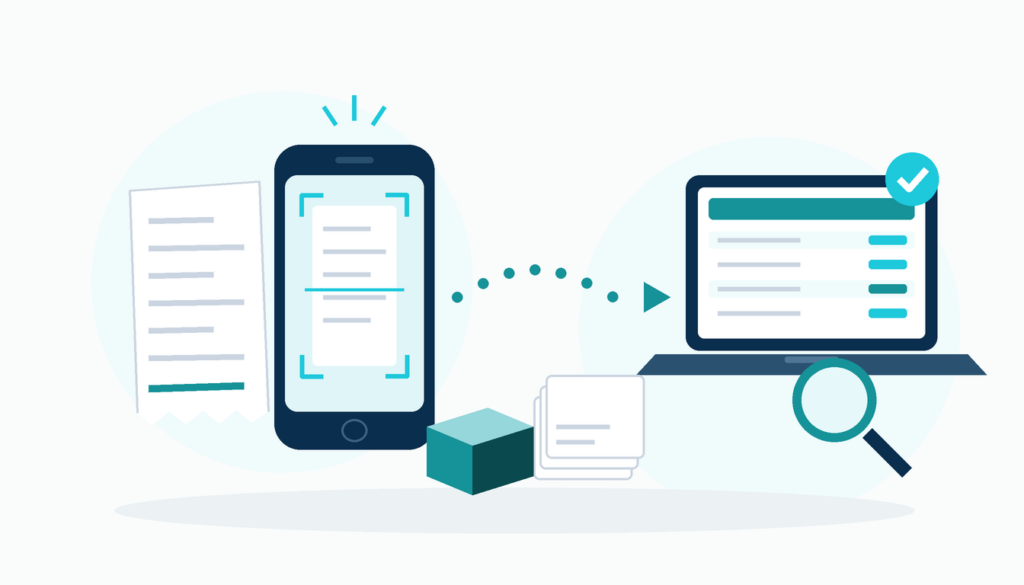
Receipts are the most boring part of running a store, and the easiest part to let slide. A supplier invoice sits in your inbox. A software receipt lands in a different email. A shipping supplies receipt ends up crumpled in your car. Then tax time shows up and you are digging through 12 months of mess.
Dext is built for exactly that problem. It captures receipts and invoices, pulls out the details and pushes clean records into QuickBooks, Xero and other accounting software. In this 2026 review I cover what it does, what it costs in the US, how it connects to your ledger and who should skip it.
I’m Trevor Fenner. I’ve sold online since 2005 and have run my own ecommerce business since October 2010, including a multi-store portfolio I sold in 2022 at about $7M a year in sales. I started Ecommerce Paradise in 2015 to help other people build stores, and I still work with ecommerce clients on builds, ads and SEO every day.
To be clear up front: this review is research-led. It is based on Dext’s own product pages, its US pricing page, its help content and independent reviews like its Xero App Store listing. I did not test Dext hands-on for this article.
This is general education, not tax, legal or accounting advice. Ask a qualified accountant what records you need to keep. Pricing was checked in November 2026, so confirm it on Dext’s site. Read our editorial standards for how we research reviews.
Some links on this page are affiliate links. If you sign up through them I may earn a commission at no extra cost to you. Read the affiliate disclosure.
Turn Your Receipt Pile Into Clean, Coded Records
Snap, email or WhatsApp a receipt and Dext extracts the details and publishes them to QuickBooks or Xero. US plans start at $25.21 a month billed annually, with a 14-day free trial.
Dext at a glance
| Item | Details (checked November 2026) |
|---|---|
| What it is | Receipt, invoice and statement capture with automated data extraction |
| Formerly known as | Receipt Bank |
| US starting price | $25.21 a month billed annually ($302.50 a year) |
| Starting allowance | 250 documents a month, 5 users |
| Free trial | 14 days, no card required |
| Ways to submit | Mobile app, email, WhatsApp, desktop upload |
| Accounting integrations | 36+ platforms including QuickBooks, Xero and Sage |
| Xero App Store rating | 4.8 out of 5 from 1,119 reviews |
| Our score | 8 out of 10 (research-based) |
What Dext actually does
Dext is not accounting software. It is the layer that sits in front of your ledger. In our ecommerce bookkeeping software guide I call this the receipt capture layer, below the connector and the ledger.
The workflow is simple. You send in a document. Dext reads the supplier, date, amount, tax and line items. You review it, and Dext publishes a coded transaction to your accounting software with the image attached. The original stays stored in Dext.
Who it is built for
Dext sells to two groups: businesses and accounting or bookkeeping firms. On its US site, Dext says over 700,000 businesses and 12,000 accounting and bookkeeping firms use it. That is the company’s own figure. A lot of bookkeepers already run Dext for their clients, so ask yours before you buy your own plan.
Pricing in 2026
Dext’s US business pricing uses a slider. You pick a document allowance and the price changes with it. Here is what I found in November 2026.
Entry plan
The entry point is $25.21 a month billed annually, which is $302.50 a year. That covers 250 documents a month and 5 users. It includes free credits for 10 sheets of bank statement extraction, 5 documents with line item extraction and 5 supplier statement extractions.
Dext says annual billing is up to 20% cheaper than monthly. I could not see the exact monthly-billed price without the interactive slider, so check it on Dext’s pricing page if you prefer to pay monthly.
Add-ons
- AI Assist: $10.50 a month (listed as a price until January 31, 2027)
- Commerce Lite (online sales reports): from $7.50 a month
- Vault document storage: free up to 100MB, extra storage from $4 a month
- Line item extraction: from $20.50 a month, or pay as you go from $0.50 per document
- Supplier statement extraction: from $20.50 a month, or from $0.50 per document
- Bank statement extraction: from $13 a month, or from $0.32 per document
What happens at the limit
If you go over your monthly document limit, Dext says you can still upload documents but they will not have data extracted until your next billing date or until you upgrade. That is fair, but plan your tier around your busiest month, not your average.
Cancelling
Per Dext’s FAQ, you can cancel a monthly plan any time before renewal. Annual plans need 30 days notice before the renewal date. Put that date in your calendar.
Core features
Capture from anywhere
Dext accepts documents four ways: the mobile receipt scanner app, email forwarding, WhatsApp and desktop upload. The app has single, multiple and combine modes, so you can snap one receipt, a stack of them or merge a multi-page invoice into one record.
For a store owner, email forwarding is the big one. Most supplier invoices, app subscriptions and ad platform receipts arrive by email. Forward them and you are done.
Data extraction and line items
Dext reads supplier, date, tax and total, and says its extraction is over 99% accurate. That is a vendor claim. Line item extraction, which splits a long invoice into individual lines, is an add-on beyond the free credits. If you buy inventory from suppliers with long multi-SKU invoices, factor that cost in.
Supplier rules and duplicate detection
You can set rules so the same supplier is coded the same way every time. Dext also flags duplicates before they reach your ledger, according to its Xero App Store listing. Duplicate invoices are a classic way to double count expenses, so this matters.
AI Assist
AI Assist is Dext’s bookkeeping agent. It watches the decisions you make on categories, tax treatments and suppliers, then suggests automations with its reasoning shown. Dext says nothing applies until you approve it. Dext’s page also notes AI Assist can only be enabled by a practice admin, so check how that works on a business plan.
Expenses and mileage
Dext includes expense claims and a GPS mileage tracker. That is handy if you or a team member drives to suppliers, trade shows or the post office. Talk to your accountant about how mileage should be recorded for your business.
Storage
Every document is stored in Dext. The Xero App Store listing says documents can be stored for up to 10 years. The IRS explains why you need supporting documents in its recordkeeping guidance.
Integrations with QuickBooks and Xero
Dext says it connects with 36+ accounting platforms, ecommerce platforms and over 11,500 banks and financial institutions. QuickBooks, Xero and Sage are the main accounting connections it names.
How the connection works
When you connect Dext to your ledger, it syncs your chart of accounts so your documents can be coded to the right accounts. You review each item, then publish. Dext’s page says nothing publishes without your review.
Xero
Dext has been listed on the Xero App Store since March 2011, and the Dext listing on the Xero App Store shows a 4.8 out of 5 rating from 1,119 reviews as of November 2026. If you run Xero, Dext is one of the most established capture tools in that ecosystem.
QuickBooks
Dext also connects to QuickBooks Online, which is still the most common ledger for US small businesses. The workflow is the same: capture, review, publish. Our QuickBooks vs Xero comparison can help if you have not picked a ledger yet.
Commerce Lite for online sales
Commerce Lite is a paid add-on that connects to platforms like Amazon, eBay, Etsy and Shopify to bring in online sales reports. It is not the same as a full payout connector. For Shopify and Amazon payouts, most bookkeepers still use a dedicated tool like A2X, which splits each payout into sales, fees and refunds.
Stop Chasing Supplier Invoices at Tax Time
Forward invoices, snap receipts and let Dext publish them to QuickBooks or Xero with the image attached. No credit card needed to start the 14-day trial.
What real users say
On the Xero App Store, Dext holds a 4.8 out of 5 rating from 1,119 reviews as of November 2026. That is a large sample and a strong score for a tool that has been around since 2011.
Rather than paraphrase individual reviews, I suggest reading the newest ones yourself and sorting by most recent. When I size up any capture tool, I look for complaints about extraction errors on messy receipts, sync problems with the ledger and billing surprises around document limits.
Pros and cons
| Pros | Cons |
|---|---|
| Four ways to submit documents, including email and WhatsApp | Monthly-billed price not shown without the slider |
| Publishes coded records to QuickBooks and Xero | Line item extraction is an add-on after the free credits |
| Supplier rules and duplicate detection | Extraction pauses when you hit your document limit |
| Long track record and 4.8 rating on the Xero App Store | Annual plans need 30 days notice to cancel |
| Documents stored in Dext alongside your books | Not a payout connector for Shopify or Amazon |
| 14-day trial with no card | Dext Payments is listed as UK only |
Who Dext is for
- Store owners with lots of supplier invoices and subscription receipts
- Businesses using QuickBooks or Xero who want receipts attached to every transaction
- Owners who travel or work on the go and want to snap receipts on the spot
- Teams with several people spending on behalf of the business
- Bookkeepers managing many clients (Dext has a separate practice offering)
Who should skip it
- Very small stores with a handful of receipts a month, where your ledger’s own receipt upload may be enough
- Stores using a done-for-you service that already handles documents, so check with your provider first
- Anyone looking for a Shopify or Amazon payout connector, since that is a different tool
- US businesses wanting Dext to pay suppliers, since Dext Payments is listed for the UK
If you want bill pay in the US, a tool like BILL is built for paying vendors and approving bills. If you want the whole ecommerce bookkeeping job handled, look at Finaloop, which pairs its own ledger with an accounting team.
How Dext fits an ecommerce bookkeeping routine
Here is a simple weekly routine using Dext. It is a hypothetical example, not a rule.
Weekly (15 minutes)
Forward any supplier invoices and app receipts to your Dext email address. Snap any paper receipts. Open Dext and review anything flagged. Publish.
Monthly
Reconcile your bank and card accounts in the ledger. Every expense line should now have a matching document from Dext attached. Anything without a document goes on a short follow-up list. Our monthly bookkeeping checklist walks through the full close.
Hypothetical document count
Say a hypothetical store gets 40 supplier invoices, 25 software and ad receipts and 15 paper receipts a month. That is 80 documents, well under the 250 in the entry plan. A store with 300 supplier invoices a month would need a higher tier, so size it before you buy.
Keep your own cross-check too
I keep an Order Processing P&L sheet for every store that tracks sale price, supplier cost, shipping, merchant fees, ad cost and profit per order. Dext does not replace that. It makes sure the supplier invoices behind those numbers are captured and stored.
Setting up Dext in your first week
If you start a trial, here is the order I would follow based on Dext’s documentation.
- Connect your ledger first so your chart of accounts syncs over
- Save your Dext forwarding email address in your contacts
- Update billing emails with your main suppliers and apps so invoices go straight to Dext, or set up a forwarding rule
- Install the mobile app and capture any paper receipts sitting in your wallet or car
- Set supplier rules for your top 10 suppliers so they code the same way every time
- Review and publish your first batch, then check that each record landed in the right account in your ledger
Give it the full 14 days. One week of documents is rarely enough to see how the rules and suggestions behave.
Dext alternatives
| Tool | Notes |
|---|---|
| Hubdoc | Document capture tool often used with Xero |
| Expensify | Expense reports and receipt capture, common for teams |
| Built-in ledger receipt capture | QuickBooks and Xero both let you attach receipts, useful at low volume |
| Zoho Books | Free plan includes 50 receipt autoscans a month, handy for very small businesses |
Freelancers and service businesses should also read our bookkeeping software for freelancers guide.
My verdict: 8 out of 10
Dext gets an 8 out of 10 on my research-based score. It solves the receipt and invoice problem well, it connects to the two ledgers most store owners use, and it has a long track record with a strong Xero App Store rating. Email forwarding alone can save a store owner hours at tax time.
I took points off because the monthly price is hard to see, line item extraction costs extra and the US payments feature is not available. It is also only one layer of your bookkeeping, so you still need a ledger and, for most stores, a payout connector.
If supplier invoices and receipts are piling up, start a Dext trial and forward a month of documents through it. You will know quickly whether it fits.
Ready to Add Dext to Your Bookkeeping Stack?
Start the 14-day free trial, connect QuickBooks or Xero and push your first month of receipts through. Plans start at $25.21 a month billed annually.
Frequently asked questions
How much does Dext cost in the US in 2026?
Dext’s US business pricing starts at $25.21 a month billed annually ($302.50 a year) for 250 documents a month and 5 users, checked November 2026. Prices rise with the document allowance. Add-ons like line item extraction and Commerce Lite cost extra.
Does Dext work with QuickBooks Online?
Yes. Dext connects with QuickBooks, Xero, Sage and 36+ accounting platforms. It syncs your chart of accounts so you can code documents, then publishes reviewed records with the image attached.
Is Dext the same as Receipt Bank?
Yes. Dext was formerly called Receipt Bank. The Dext app has been listed on the Xero App Store since March 2011.
Does Dext replace my accounting software?
No. Dext captures and extracts data from receipts, invoices and statements. You still need a ledger like QuickBooks or Xero, or a service like Finaloop, to keep your books.
Is there a free trial?
Yes. Dext offers a 14-day free trial and says it does not ask for card details to start it. The IRS also has guidance on how long to keep records, which is worth reading before you set up any storage system.
Final thoughts
Receipt capture is not exciting, but it is one of those systems that pays you back every single month. If you already use QuickBooks or Xero and documents are scattered across inboxes, Dext is worth a trial. Pair it with clean payout reconciliation and a monthly routine and your books will be in good shape. The SBA’s guide to managing your business finances covers the bigger picture.
Related guides
- Best ecommerce bookkeeping software in 2026
- Xero review
- QuickBooks vs Xero
- Finaloop review 2026
- Monthly bookkeeping checklist

Trevor Fenner is an ecommerce entrepreneur and the founder of Ecommerce Paradise. He publishes research on bookkeeping software and practical workflows for online business owners. His articles provide general education rather than individualized accounting or tax advice.