
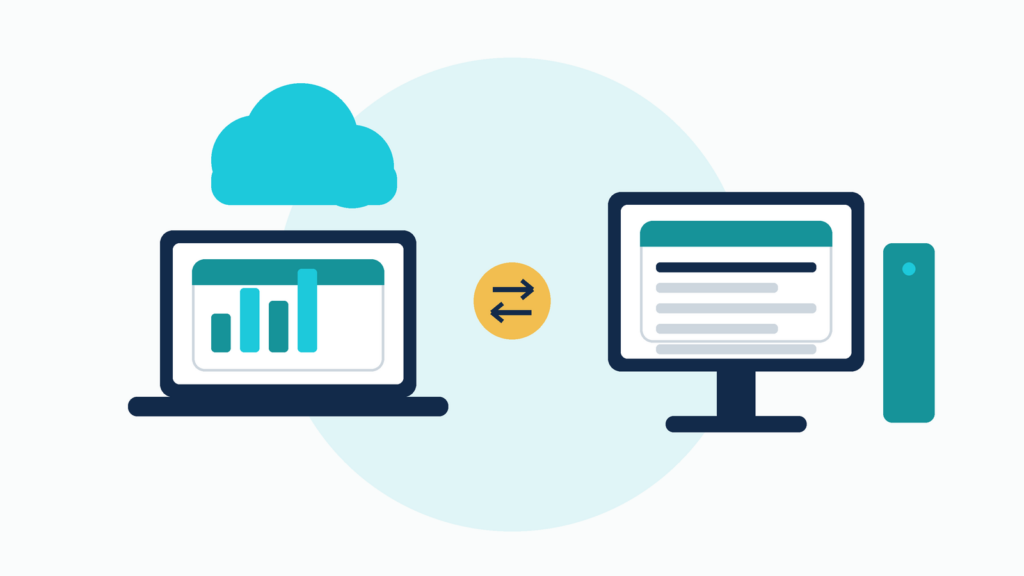
QuickBooks Online vs Desktop used to be a simple preference question. Cloud or installed. Monthly or yearly. In 2026 it’s different, because Intuit has stopped selling most Desktop products to new US customers and is retiring older versions on a set schedule. If you’re starting fresh, the decision is mostly made for you. If you’re already on Desktop, you have a real choice to make, and a deadline coming.
I’m Trevor Fenner. I’ve sold online since 2005, I’ve run my own ecommerce business since October 2010, and I founded Ecommerce Paradise in 2015 to help people build stores that run without them chained to a desk. I’ve lived in Bali for years, so I’m biased toward anything I can open from a laptop anywhere. I’ll be honest about where Desktop still wins anyway.
This comparison is research-led. I pulled the status of each product from Intuit’s own announcements and help articles, Intuit’s pricing pages and a 2026 Texas Society of CPAs article, all checked in November 2026. I’ll flag anything I could only confirm through a reseller.
This article is general education, not tax, legal or accounting advice. Moving accounting systems affects your historical records, so work with a qualified accountant before you migrate. You can read how we fact-check in our editorial standards.
Some links on this page are affiliate links. If you sign up through them I may earn a commission at no extra cost to you. Read the affiliate disclosure.
QuickBooks Online vs Desktop at a glance
Here’s the side-by-side as of November 2026. Confirm current details with Intuit before you buy or renew.
| Category | QuickBooks Online | QuickBooks Desktop |
|---|---|---|
| Where it runs | In a browser and mobile app | Installed on Windows computers, or hosted for an extra fee |
| Can new US customers buy it? | Yes | Only Desktop Enterprise. Pro Plus, Premier Plus and Mac Plus stopped selling to new US subscribers after September 30, 2024 |
| Pricing model | Monthly subscription, $38 to $340 a month list | Annual subscription for most editions, Enterprise Diamond is monthly only |
| Users | 1 to 25 depending on plan | Enterprise Gold and Platinum 1 to 30, Diamond 1 to 40 |
| Updates | Automatic | Versions are retired on a schedule. Desktop 2023 was discontinued May 31, 2026 |
| Inventory depth | Plus and Advanced, standard inventory | Enterprise Platinum adds Advanced Inventory and Advanced Pricing |
| App ecosystem | Large, including Shopify connectors | Smaller, fewer modern integrations |
| Best for | Most small businesses, remote teams, ecommerce | Larger product businesses with deep inventory needs that already run on Desktop |
The big news: QuickBooks Desktop sales have mostly stopped
This is the part a lot of people miss. Intuit’s own announcement about the QuickBooks Desktop stop-sell says it stopped selling new subscriptions of four products to US subscribers after September 30, 2024. The deadline was originally July 31, 2024 and was extended.
What stopped selling
The four products were QuickBooks Desktop Pro Plus, Desktop Premier Plus, Desktop Mac Plus and Desktop Enhanced Payroll. If you’re a new US business, you can’t buy them anymore.
What didn’t change
Existing subscribers weren’t cut off. Intuit says existing Desktop Plus and Desktop Payroll subscribers can keep renewing, and it will keep providing security updates, product updates and support for them. QuickBooks Desktop Enterprise was not affected and is still sold.
The version clock is ticking
Desktop software also retires on a schedule. Intuit’s Desktop 2023 discontinuation notice says the 2023 versions were discontinued after May 31, 2026. After that, critical security updates stop and connected services like payroll, online banking, live support and in-product payments stop working.
A May 2026 Texas Society of CPAs article on life after QuickBooks Desktop adds two more points. It says Desktop 2024 is set to be discontinued on May 31, 2027, and that Intuit did not release a Desktop 2025 version, releasing updates to Enterprise 24.0 instead. Confirm both with Intuit, because dates like these can change.
What this means for you
Here’s the plain-English version for each type of reader.
If you’re starting a new business
You’re choosing QuickBooks Online, or a non-Intuit alternative. Desktop Pro and Premier aren’t on the menu for new US customers. Enterprise is, but it’s built and priced for larger operations. For most new small businesses, QuickBooks Online is the Intuit product you can actually buy.
If you’re on Desktop Pro Plus or Premier Plus
You can keep renewing for now. But your version will be retired on Intuit’s schedule, and there’s no new Pro or Premier for you to move to as a new purchase. Your real options are to stay and renew, move up to Enterprise, move to QuickBooks Online or move to a different platform entirely. Plan the move before your version’s retirement date, not after.
If you’re on Desktop Enterprise
You have the most room. Enterprise is still sold and updated. If its inventory and pricing tools run your business, staying can make sense. Just compare it against QuickBooks Online Advanced and Intuit’s newer cloud products before your next renewal.
If you’re on an old, unsupported version
Move. Unsupported software doesn’t get critical security patches, and the add-on services you rely on stop working. That’s a real risk for financial data.
Pricing: QuickBooks Online vs Desktop
Pricing is where the two models look very different on paper.
QuickBooks Online pricing
Intuit’s QuickBooks Online pricing page listed Simple Start at $38 a month, Essentials at $85, Plus at $140 and Advanced at $340 in November 2026. Users run 1, 3, 5 and 25. There was a 50% off for 3 months promo or a 30-day free trial. My full QuickBooks pricing guide covers add-ons and price history.
QuickBooks Desktop pricing
Intuit’s Enterprise page didn’t show clear list prices when I checked, so here’s what I could confirm and how. A QuickBooks reseller’s summary of the February 1, 2026 Desktop price change listed annual renewal prices of $1,149 for Pro Plus single user, $1,609 for Premier Plus single user and Enterprise starting prices of $1,873 for Silver, $2,210 for Gold, $2,717 for Platinum and $5,363 for Diamond. Pro Plus and Premier Plus prices here apply to existing subscribers renewing. Treat every Desktop number as something to confirm directly with Intuit sales.
Intuit’s Desktop page also said existing Desktop customers get 50% off an annual Enterprise subscription. If you’re on Pro or Premier and Enterprise fits, ask about that offer.
A hypothetical 3-year cost example
Here’s a hypothetical example, not a real business. Say you’re an existing Pro Plus user with 1 seat, and you’re comparing renewal against QuickBooks Online Essentials for 3 users, both at the list prices above.
| Option | Yearly cost | 3-year cost |
|---|---|---|
| Desktop Pro Plus renewal, 1 user | $1,149 | $3,447 |
| QuickBooks Online Essentials, 3 users | $1,020 | $3,060 |
| QuickBooks Online Plus, 5 users with inventory | $1,680 | $5,040 |
In this example Online Essentials comes in a bit cheaper and adds 2 more users and remote access. If you need inventory, Online Plus costs more than staying on Desktop. Your numbers depend on users, payroll and hosting, so run your own.
Move Your Books to the Cloud on Your Schedule
QuickBooks Online runs $38 to $340 a month in 2026, with a 30-day free trial or 50% off for 3 months when I checked in November 2026.
Features: where each one wins
The feature gap isn’t one-sided. Desktop Enterprise still does some things Online doesn’t do as deeply.
Where QuickBooks Online wins
- Access from any browser or phone, with no server or hosting to manage
- Automatic updates, so you never hit a version retirement date
- Bank feeds and a large app ecosystem, including payroll, receipt capture and ecommerce connectors
- Multiple people working at once from different places, including your accountant
- Intuit’s newer AI features land here first
Where QuickBooks Desktop Enterprise wins
- Advanced Inventory and Advanced Pricing on Platinum and Diamond, according to Intuit’s Enterprise page
- Up to 30 users on Gold and Platinum, or 40 on Diamond, versus 25 on Online Advanced
- Intuit’s Desktop page says Enterprise can hold up to 1 million customers, vendors and inventory items
- Industry editions that some manufacturers, wholesalers and contractors have used for years
- Some owners prefer having the company file on their own machines
Where they’re about the same
Both handle the core jobs well: invoicing, bills, bank reconciliation, sales tax tracking and standard financial reports. For a typical small business, the day-to-day work feels similar once you learn either one.
QuickBooks Online vs Desktop for ecommerce stores
For online stores, I’d lean hard toward Online. Most modern ecommerce tools are built to talk to cloud ledgers.
Connectors and payouts
Shopify, Amazon and payment processor payouts need to be split into sales, fees, refunds and reserves. A2X posts clean summary entries for each payout, and its documentation is written around QuickBooks Online, not Desktop. If you have to stay on Desktop, Synder lists QuickBooks Desktop support, which is rare in this category.
My Shopify QuickBooks integration guide covers the options.
Receipts and bills
Supplier invoices and receipts pile up fast for a store. Dext captures receipts and bills and sends them to your ledger, which saves hours of typing every month.
When to skip QuickBooks altogether
If you’re moving off Desktop anyway, it’s a natural moment to ask whether you want to run QuickBooks at all. Finaloop is the ecommerce bookkeeping option I point store owners to most often. Finaloop handles the books with its own platform and team, so there is no ledger for you to install or migrate yourself. My Finaloop vs QuickBooks comparison lays out the tradeoffs.
I also keep an Order Processing P&L sheet for every store, tracking each order’s sale price, supplier cost, shipping, merchant fees, ad cost and profit. Whichever ledger you pick, that sheet shows you which orders actually made money.
7 questions to ask before your next Desktop renewal
Renewal time is the natural decision point. Before you pay for another year of Desktop, sit down with your accountant and answer these.
1. When is my version retired?
Check which version you’re on and when Intuit plans to discontinue it. If the date falls inside your next subscription year, plan the move now.
2. Do I actually use Enterprise-level inventory?
If you use Advanced Inventory features like multiple warehouses or serial and lot tracking, that’s a real reason to stay on Enterprise. If you just track quantities, QuickBooks Online Plus may cover it.
3. How many people need access?
Online Advanced tops out at 25 users. Enterprise goes to 30 or 40 depending on the plan. Count the people who actually log in, not the whole company.
4. Where does my team work?
If anyone works remotely, including your accountant, Desktop means hosting, remote desktop tools or file swapping. Online removes all of that.
5. What apps do I need to connect?
List every tool that touches your books, from payroll to your sales channels. Check each one for Online and Desktop support. Ecommerce tools in particular lean toward cloud ledgers.
6. What does my accountant prefer?
Your accountant’s comfort matters. Some firms have moved their whole client base to Online. Others still run Desktop for certain clients. Ask them directly.
7. Is now a good time to rethink the whole setup?
A forced move is a chance to fix old problems, like a messy chart of accounts or manual data entry. The SBA’s guide on how to manage your business finances is a good checklist of what your books should do for you.
How to move from QuickBooks Desktop to Online
If you decide to move, do it carefully. Here’s the process I’d follow with an accountant involved.
1. Pick your cutover date
Choose the start of a month, ideally the start of a quarter or fiscal year. That gives you a clean line between old and new books.
2. Clean up the Desktop file first
Reconcile every bank and card account. Clear out old undeposited funds, duplicate customers and stale open items. Moving a messy file just moves the mess.
3. Back up and export everything
Make a full backup of your company file and export your key reports as PDFs. The IRS explains on its page about how long to keep business records that you need records for as long as they may matter for tax purposes. Don’t throw away the Desktop file.
4. Check what converts
Intuit offers a conversion path from Desktop to Online, but not every feature and list carries over the same way. Ask your accountant to check inventory, payroll history, custom fields and reports before you commit.
5. Reconnect your apps and run in parallel
Reconnect bank feeds, payroll and any ecommerce connector. If you can, run both systems for one month and compare the profit and loss and balance sheet. Then switch off Desktop for good.
My monthly bookkeeping checklist is a good routine to adopt on day one in the new system.
Should you leave Intuit entirely?
Some Desktop users take this moment to look outside Intuit. That’s reasonable, especially if price is the main frustration.
- Xero has no per-user fees and runs $27 to $97 a month. See my QuickBooks vs Xero comparison.
- Zoho Books has a free plan under $50K in revenue and cheaper paid tiers.
- FreshBooks fits freelancers and service businesses better than either QuickBooks product.
My best QuickBooks alternatives guide compares them all. The one warning: if your business relies on Desktop Enterprise’s inventory depth, most small business alternatives won’t match it. Test before you move.
Leaving Desktop? Compare a Cloud Ledger With No Per-User Fees
Xero plans run $27 to $97 a month with unlimited users on every plan. Pricing checked November 2026.
My verdict: QuickBooks Online or Desktop in 2026?
For almost every small business, QuickBooks Online is the answer in 2026. New US customers can’t buy Desktop Pro or Premier anyway, Online gets the new features and the cloud fits the way most teams work now.
Desktop Enterprise is the exception. If you’re a larger product business that depends on Advanced Inventory, Advanced Pricing or more than 25 users, Enterprise can still be the better tool. Just go in knowing it’s a premium-priced product and confirm current pricing with Intuit.
And if you’re on Pro Plus or Premier Plus, don’t wait for the retirement date to force your hand. Pick a cutover date this year and move on your terms.
FAQ
Is QuickBooks Desktop being discontinued?
Not all of it. Intuit stopped selling new subscriptions of Desktop Pro Plus, Premier Plus, Mac Plus and Enhanced Payroll to new US customers after September 30, 2024. Existing subscribers can still renew, and Desktop Enterprise is still sold. Individual versions are retired on a schedule, such as Desktop 2023 on May 31, 2026.
Can I still buy QuickBooks Desktop in 2026?
New US customers can buy QuickBooks Desktop Enterprise. Pro Plus, Premier Plus and Mac Plus are no longer sold to new US subscribers, based on Intuit’s announcement.
Is QuickBooks Online cheaper than Desktop?
It depends on users and features. At the list prices in this article, Online Essentials for 3 users costs less per year than a single-user Pro Plus renewal. Online Plus with inventory costs more. Run your own numbers.
Can I move my QuickBooks Desktop data to QuickBooks Online?
Yes, Intuit offers a conversion path. Not everything converts identically, so check inventory, payroll history and custom reports with your accountant first, and keep a backup of the Desktop file.
Which is better for an ecommerce store?
QuickBooks Online, in most cases. Most ecommerce connectors, including A2X, are built around cloud ledgers. If you must stay on Desktop, check connector support carefully, because it’s limited.
Final thoughts
The QuickBooks Online vs Desktop question has mostly answered itself for new businesses. For existing Desktop users, the smart move is to plan your next step now, compare Online, Enterprise and outside alternatives at full price and move on a date you choose.
Related guides
- Ecommerce bookkeeping software hub
- QuickBooks Online review
- QuickBooks pricing in 2026
- Best QuickBooks alternatives
- Shopify QuickBooks integration

Trevor Fenner is an ecommerce entrepreneur and the founder of Ecommerce Paradise. He publishes research on bookkeeping software and practical workflows for online business owners. His articles provide general education rather than individualized accounting or tax advice.